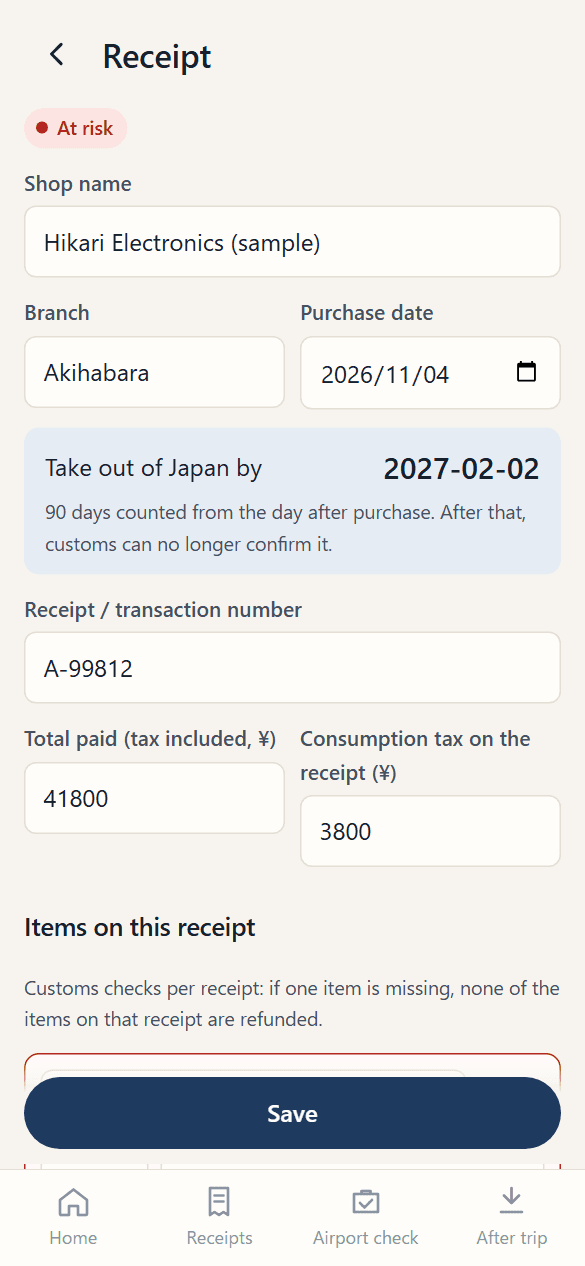
At the shop: snap the receipt
Take a photo. The shop, date, items and tax are read into a draft you check.
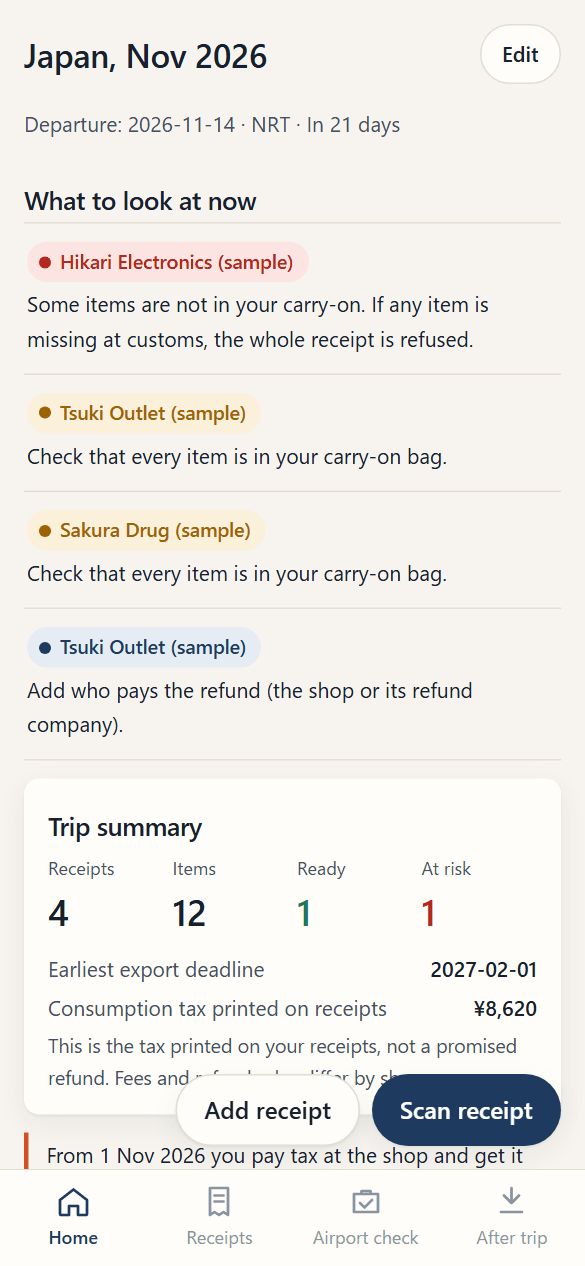
From November, you pay tax at the shop and get it back only after customs confirms you took the goods out. Refund Pocket keeps each receipt's refund desk, 90-day deadline and items in one place — and checks your carry-on item by item before you fly.
Free, no account. Trip Pass US$2.99 per trip for receipt scanning, family and a PDF summary.
For recording tax-free goods bought in Japan and taken out of Japan. It does not handle overseas VAT refunds for people travelling from Japan.
A personal notebook for receipts, items and contact details. It does not retrieve or register official purchase records, complete customs verification, submit refund claims or transfer money. Its screens and PDF are not official applications or permits.
Rules used by the app and the official destinations below checked on 2026-11-01. Also check current shop and on-site instructions.
Keep the refund desk, method and contact provided by the shop with the receipt. Ask the shop about eligibility and its official purchase record.
Japan Tourism Agency traveler informationCheck your final departure airport, terminal and procedure location before handing over your baggage. Official procedures perform the actual goods verification.
Customs kiosk and inspection-area mapsCheck the official guide for supported airports, designated areas and dedicated Wi-Fi conditions. This notebook cannot perform Visit Japan Web procedures.
National Tax Agency online guide and FAQCheck the shop or its designated provider for the method, expected timing and contact. This notebook does not retrieve payment status automatically.
National Tax Agency explanation of refund proceduresNo extra purchase is needed if shop instructions and free official services are enough. Trip Pass adds 60 scans, up to 6 travelers and a PDF summary for US$2.99 per trip, valid for 120 days. It is not a refund-processing fee.
This date is not a re-review date for every guide article. Individual articles show their own review dates.
Five moments where travelers lose refunds — and what you see on your phone at each one.
Take a photo. The shop, date, items and tax are read into a draft you check.
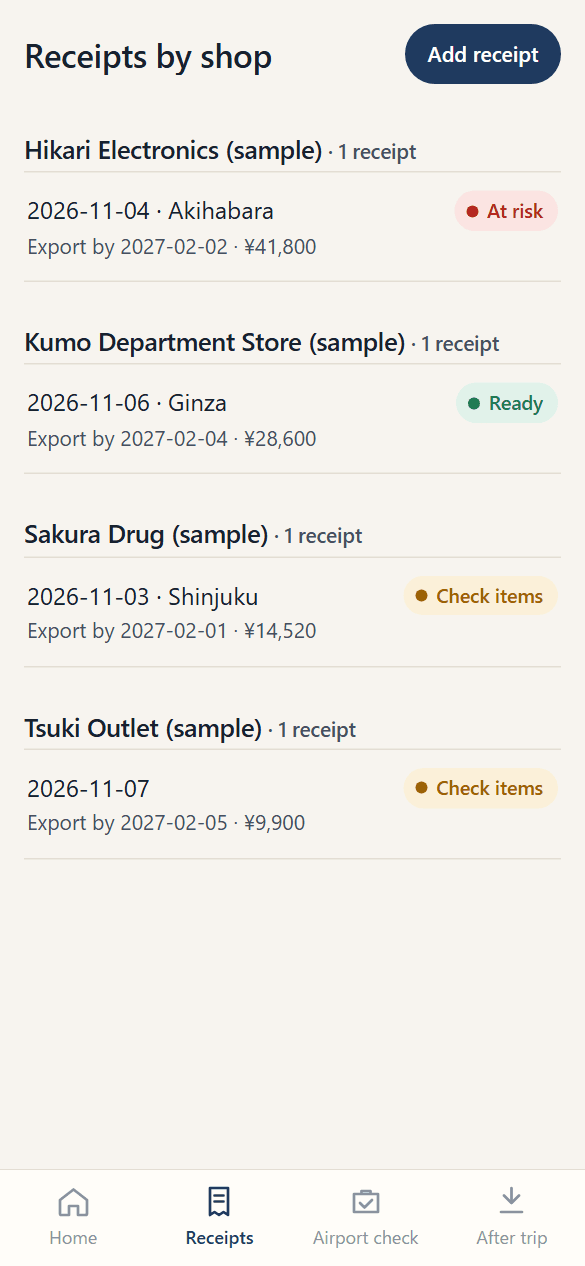
See who pays each refund — the shop or its refund company — and the date you must leave Japan by.
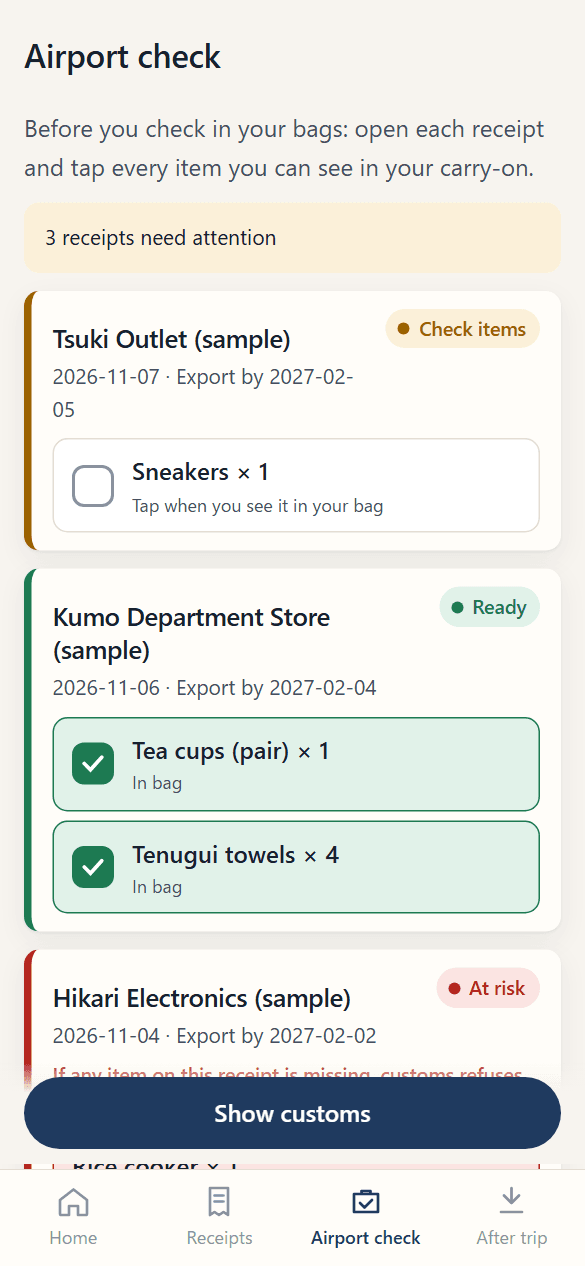
Tick each item you can see in your carry-on. A receipt turns red if anything is in your checked bag, mailed or used.
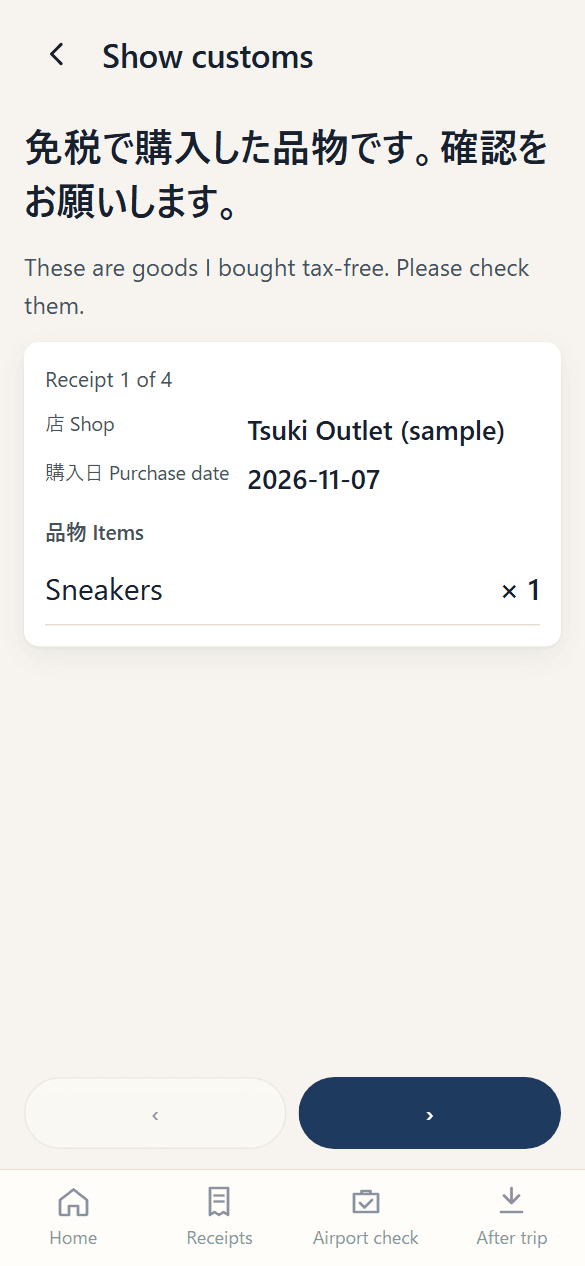
Show a clear list in Japanese and English, with the receipt photo, even with no signal.
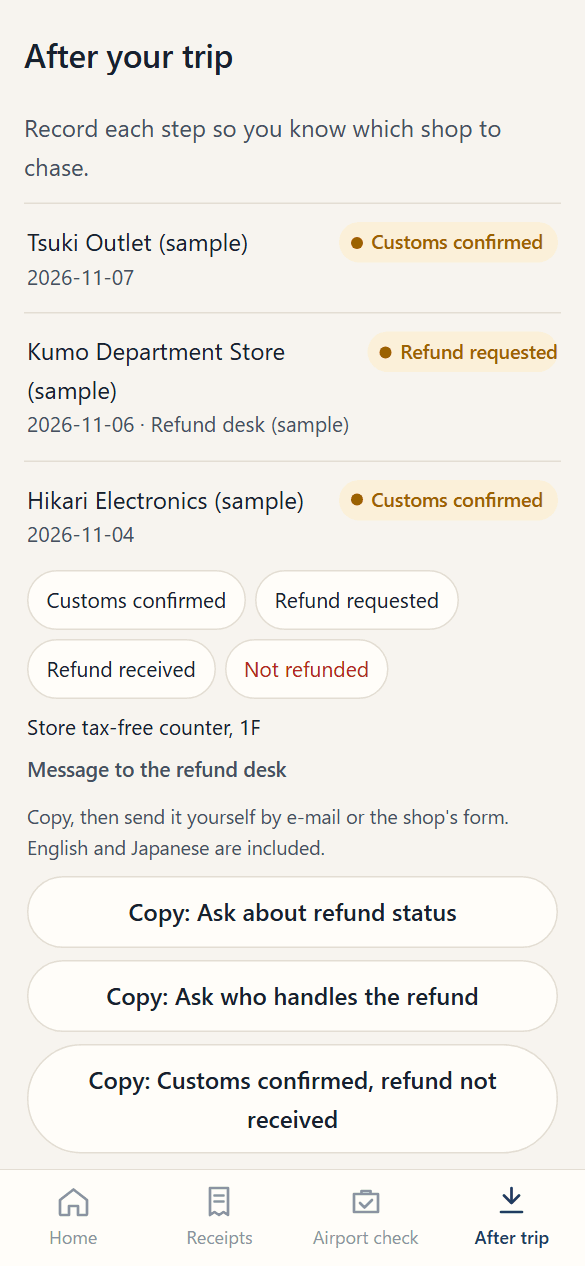
Track which shop has paid. Copy a ready bilingual message for the ones that haven't.
Screens show sample data.
Customs checks per receipt. If you bought three items and can't show one of them, none of the three is refunded. Items in checked baggage can't be shown, and a used consumable makes the whole receipt ineligible.
Source: National Tax Agency, Q&A on the refund method (overview), Q18, Q20, Q21.
Read the rules with sourcesEvery shop, receipt number, deadline, refund desk and item on one document — handy at the airport and when you contact a shop later.
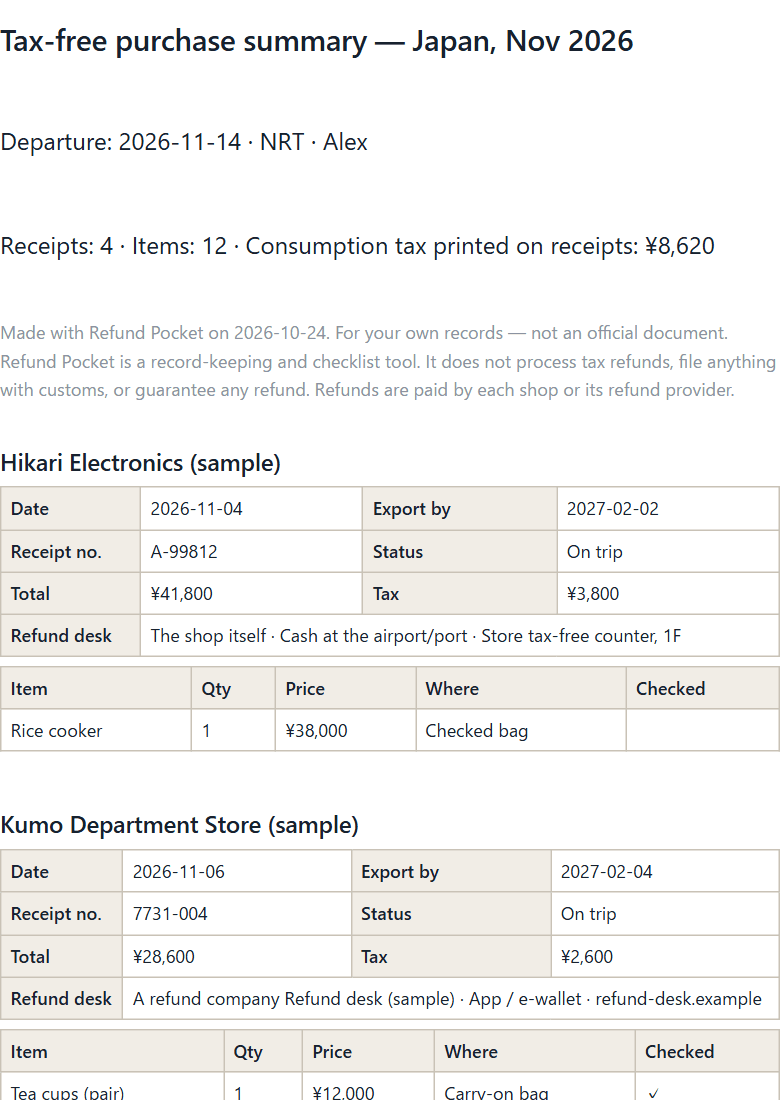
Each item has a place: carry-on, on you, checked, mailed or used. The airport check shows what to move before you check in.
Note the refund desk at the till. Later, copy a message in English and Japanese with the date, receipt number and amount.
The deadline is 90 days counted from the day after purchase. We show it per receipt and add it to your calendar.
Refund Pocket doesn't replace Visit Japan Web or your refund provider. It keeps your own record across all of them.
| Refund Pocket | Visit Japan Web | A refund company's app | |
|---|---|---|---|
| Receipts from every shop in one list | Yes | Purchase history | Its own shops |
| Item-by-item carry-on check | Yes | No | No |
| Refund desk and messages per shop | Yes | No | Its own shops |
| Works offline | Yes | No | No |
| Customs confirmation and refunds | No — we never process refunds | Yes (official) | Yes |
Based on public information as of October 2026 (our research).
US$0
US$2.99 / trip
No. It is a record-keeping and checklist tool made by SBGG LLC in Tokyo. Customs confirms your goods at departure, and the refund is paid by each shop or the refund company it uses. We can't promise or speed up a refund.
On your phone only. Receipts and photos stay in your browser's storage. When you scan, the photo is sent once to read it and isn't stored. We never ask for your passport number.
Yes. After opening it once, the app, your receipts, the airport check and the customs card work offline. Add it to your home screen for one-tap access.
If you haven't checked in yet, move it to your carry-on. Once bags are checked, that item can't be shown, and the whole receipt it is on can be refused.
You must leave Japan within 90 days, counted from the day after purchase (bought on 1 Nov → leave by 30 Jan). There is no legal deadline for the refund itself; each shop or refund company sets its own.
Narita, Haneda, Kansai, Chubu, New Chitose, Fukuoka and Naha, using the departure lobby's dedicated Wi-Fi before security, after registering in advance. Elsewhere, use the tax-free kiosk.
Yes, within 14 days of purchase if you haven't used any scans. E-mail info@sbgg.jp.
2026-11-01
Free to start. No account. Works offline.
Open the app — free